
TruCMS/TruPayments
Built into every install
One checkout under Booking and TruCommerce.
TruPayments is the payment layer both products share. Set up your gateways once, choose which ones each billing zone sees, and handle every payment and refund in one admin, whether it came from a booking or an order.
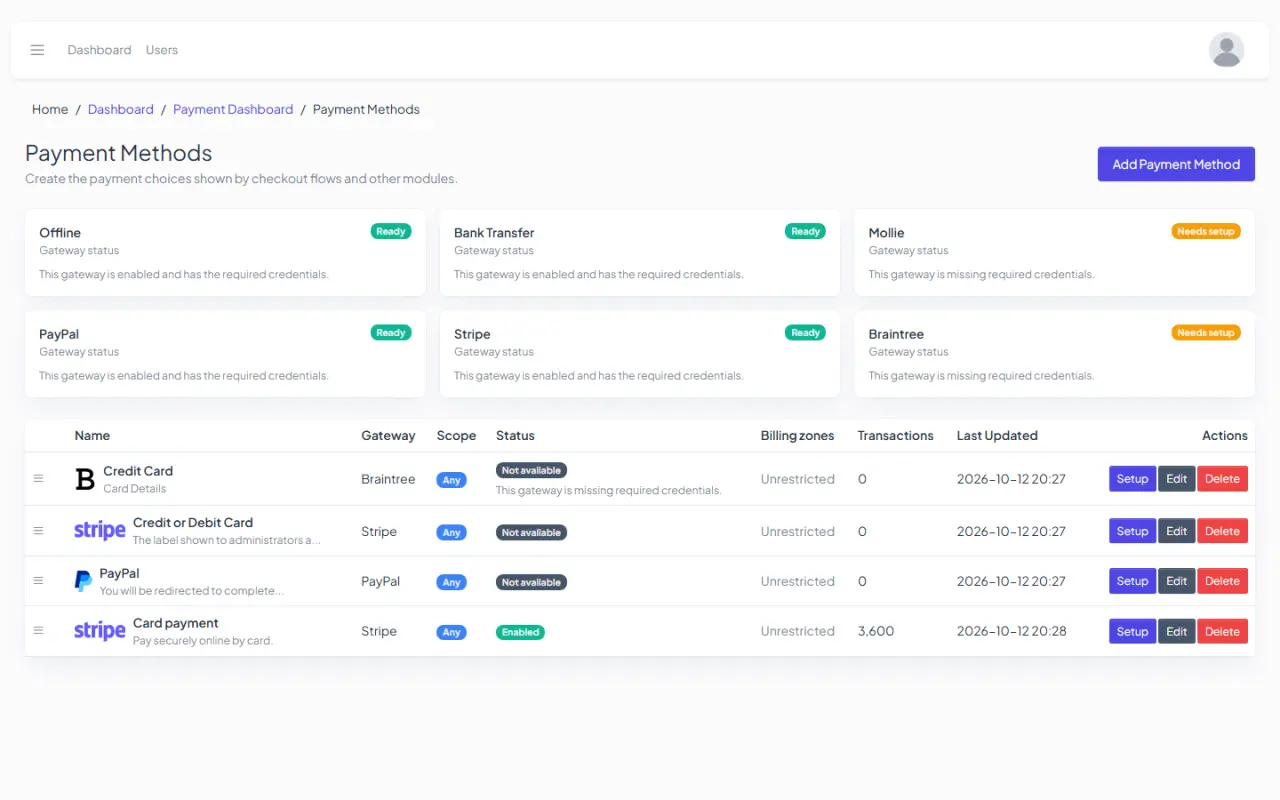
Admin › TruPayments › Payment methods
4 gateway pluginsStripe, PayPal, Mollie and Braintree
2 built inbank transfer and pay in person
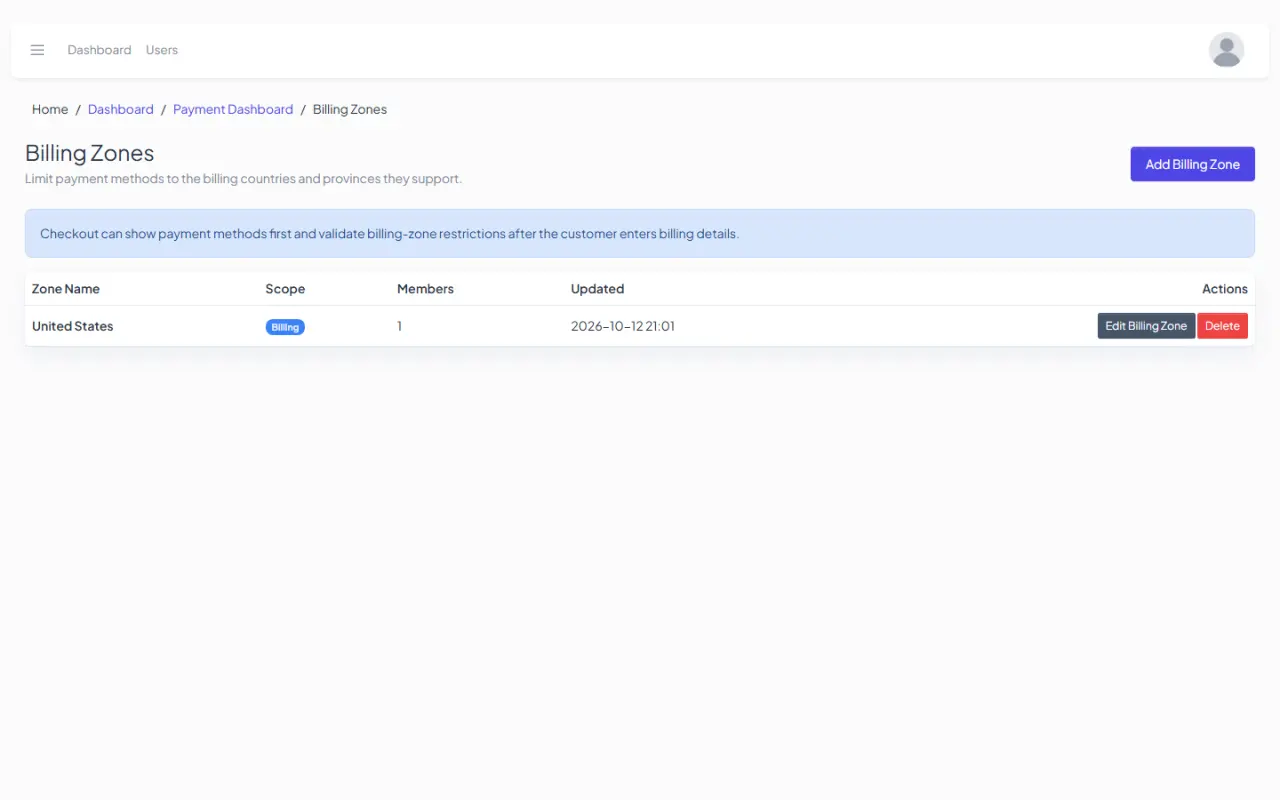
Billing zonesdecide which methods each region sees
Full or partialrefunds, through the gateway or by hand
How it works
Every payment takes the same road.
- A customer paysFor a booking, a deposit or a shop order.
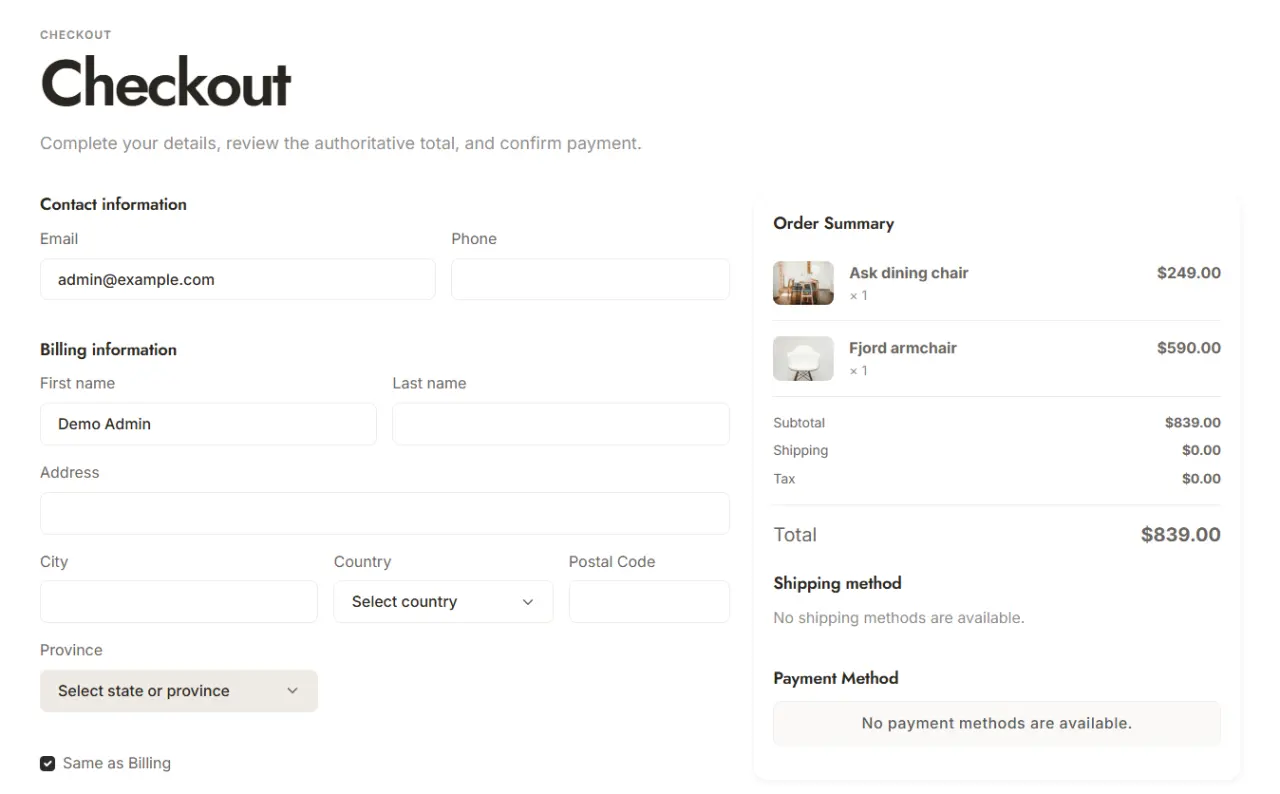
- TruPayments finds the billing zoneFrom the customer's location, then shows only that zone's methods.
- The gateway takes the paymentEvery status change is logged with the gateway's transaction number.
BookingBookings and deposits
TruCommerceOnline orders
Built in
TruPayments
One payment record, one refund flow and one set of gateway callbacks for both products.
Example zone: EuropeExample zone: North America
StripeGateway plugin
PayPalGateway plugin
MollieGateway plugin
BraintreeGateway plugin
Bank transferYour bank detailsBuilt in
Pay in personAt your desk or counterBuilt in
In the admin
Methods and zones, side by side.
Turn methods on and order them, check that each gateway is ready, and draw billing zones from countries and regions.
Admin › TruPayments › Payment methods
Admin › TruPayments › Billing zones
Everything in TruPayments
One payment layer, two products.
Gateways are plugins you add when you need them. Everything else ships with TruCMS.
Gateways
- Stripe, PayPal, Mollie and BraintreeInstall the ones you need from the plugin manager.
- Bank transfer and pay in personBuilt in; bank transfer shows your own payment instructions.
- Currencies and readinessEach method lists its currencies and tells you when its setup is incomplete.
Billing zones
- Zones from countries and regionsGroup the places you sell to.
- Methods per zoneCustomers see only the methods for their zone.
- Location by GeoIPThe customer's zone is found from their location at checkout.
Refunds
- Full or partialRefund the whole payment or part of it.
- Automatic or manualThrough the gateway, or recorded when you refund by hand.
- Approve or declineRequests wait for your decision, with a reason.
Payments admin
- Every payment in one listFrom bookings and orders alike.
- Status historyEach change with the gateway's transaction number.
- DashboardAn overview of payments in the admin.
For Booking
- Deposits or full paymentTake part of the price up front.
- Refund policyBooking refunds follow the policy you set.
For TruCommerce
- Orders after paymentAn order is created once the payment is confirmed, or straight away for pay in person.
- Stock holdsItems stay reserved while the customer pays.
Get TruCMS
Get paid.
Any way you like.
TruPayments comes with every TruCMS licence, under Booking and TruCommerce.